
How Landscaping Pros Close More Jobs with Photo-Realistic Proposals
The Gap Where Bids Die
You walked the property. You pointed out where the paver patio ends and the planting beds begin, talked through the drainage fix, named the trees that would shade the west windows by year five. The homeowner nodded the whole time.
Then you went back to the office, spent two evenings on the estimate, and emailed a landscape design proposal: line items, a rough sketch, a few photos of past jobs. Five days later — "We've decided to hold off for now."
That bid didn't die on price. It died in the gap between what you described and what the client could picture. Homeowners don't know what they want until they see it, and most landscape proposals never show them. A number attached to a result the client can't visualize always feels expensive.
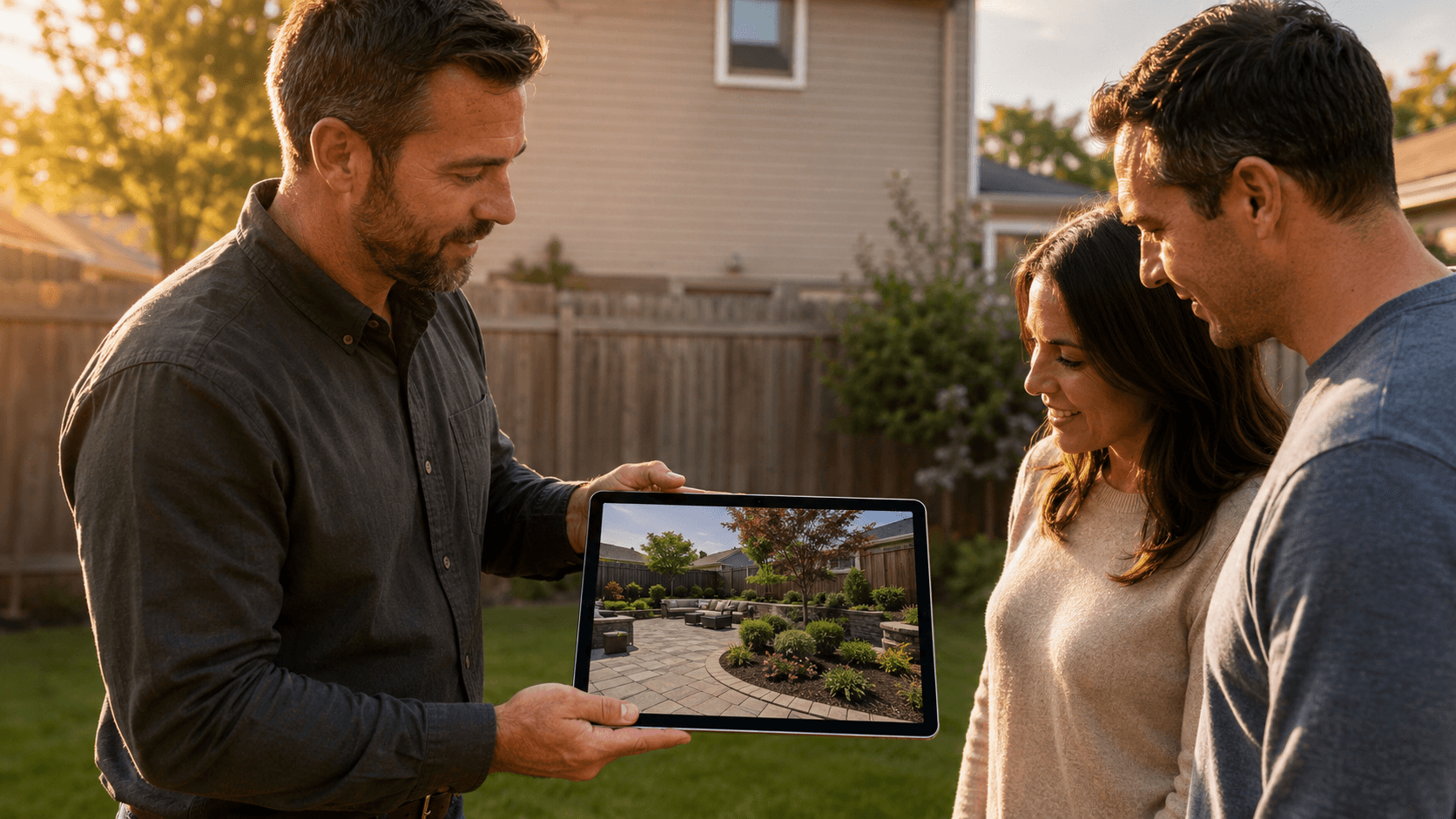
Closing that gap is the highest-leverage move in residential landscape sales. A photo-realistic proposal — your design, built on a photo of the client's actual property — closes it on the spot. Here's why it works, and how to make it part of your process without adding hours to your week.
Why Traditional Proposals Lose Jobs
Most landscape proposals take one of three forms, and each one asks the client to do imagination work they can't do.
The line-item estimate. Accurate, professional, and emotionally empty. The client reads "Install (12) 5-gal Ceanothus 'Concha'" and feels nothing except the price at the bottom. Worse, the spouse who missed the walkthrough sees only the numbers — they never even got your hand-waving tour of where things would go.
The plan-view sketch. Useful for your crew, abstract for your client. Most homeowners can't read a top-down drawing any better than a wiring diagram. Circles labeled with botanical names don't make anyone want to spend money.
The portfolio deck. Photos of past work prove you're good at someone else's yard. The client still has to make the mental leap from your previous project to their property, and most can't.
There's also a structural problem underneath all three: the tools that could do better are stuck in the office. Traditional design software lives on a desktop, so even pros who own it walk the site, drive back, design for days, and schedule a second visit to present. By then the lead has cooled, the neighbor has recommended someone, and the brother-in-law has opinions. If you've ever said "I can't pull out my laptop at a job site," you've felt this gap directly.
Slow turnaround, abstract presentation, office-bound tools. Each one alone loses bids. Most pros are running all three.
What Changes When the Client Sees Their Own Yard
People buy what they can picture owning. That's the entire psychology of the model home, the test drive, the fitting room — and it's exactly what a photo-realistic proposal does for a landscape.
The key is that it's their photo. Their back fence, their kitchen window, their slope. The moment a client recognizes their own house in the design, the project stops being hypothetical. They're no longer evaluating an idea; they're looking at their yard, finished. Once someone has seen that, walking away from it feels like losing something they almost had.
<!-- SS_IMAGE_PLACEHOLDER prompt: Split-screen before-and-after comparison of the exact same suburban backyard from the same camera angle. Left half: plain patchy lawn with a bare wooden fence and no landscaping. Right half: the identical yard with a finished photo-realistic landscape design — natural stone paver patio, layered planting beds with shrubs and perennials, small ornamental tree, crisp lawn edging. Same house and fence in both halves, bright natural daylight, photo-realistic. No text, no labels, no logos. output: docs/simplyscapes/marketing/collateral/blog/close-more-jobs-photo-realistic-proposals/images filename: before-after-same-yard -->
This is also where photo overlay beats the AI-generated concept images flooding the market. An AI tool can produce a pretty picture of roughly your client's yard — with plants nobody chose, a wall that ignores the grade, and a layout your crew can't build. You place every plant deliberately. When the client asks, "Can the lilac go by the gate instead?", you drag it there while they watch. AI can assist with the heavy edits, but you control the design.
That moment — moving the lilac while they watch — changes the conversation. The client stops evaluating your proposal and starts editing their plan. A homeowner who helped place the plants has already bought the landscape; the contract is paperwork.
There's a quieter benefit on the back end, too: a client who approved a specific, visible plant palette placed against their own house disputes fewer substitutions, requests fewer mid-install changes, and signs off faster at the final walkthrough. The picture you closed with becomes the picture you deliver against.
The Field Workflow: Photo to Proposal Before You Leave
The reason most pros don't present visual designs isn't skill — it's logistics. Desktop software means the design happens at the office, days after the walkthrough. A web-based designer collapses the whole cycle into the visit itself. The workflow:
Shoot the key views during the walkthrough.
Front approach, main patio sightline, the problem corner the client keeps mentioning. Your phone camera is plenty — shoot straight-on, midday if you can, and get the whole space in frame.
Upload the best shot in the browser.
A web-based tool like
runs on the tablet or phone you already carry. Nothing to install, nothing synced from the office.
Build the design as an overlay.
Drag photo-realistic plants from the library onto the photo, add the hardscape, draw the bed lines, adjust until it reads like a finished installation. For bigger transformations — clearing the dead lawn, changing the grade line — AI-powered editing handles the heavy lifting while you keep control of what goes where.
Present it while you're still there
— or that evening at the latest. Tablet at the kitchen table beats a PDF in an inbox every time, because you're watching their reaction and adjusting live.
Export the PDF and send it before you pull out of the driveway.
The proposal lands while the walkthrough is still the most exciting thing that happened to their house this month.
The first time through, expect to fiddle. By the third or fourth design, a presentation-grade overlay takes 20–30 minutes — less time than you currently spend formatting the estimate it replaces. If you want to see the canvas in action first, the Visual Designer walkthrough covers it in a few minutes.
Five Ways to Make Visual Proposals Convert
The picture does the heavy lifting, but how you deploy it decides the close rate.
1. Present while the lead is warm. Same visit is ideal; within 24 hours is the floor. The visual proposal's biggest advantage isn't beauty — it's that it exists now, while the client's enthusiasm is at its peak and before competing bids arrive.
2. Always design on their photo. Never a lookalike yard, never a stock image, never an AI concept of "a similar backyard." Recognition is the trigger that makes the design feel real. The day you shortcut this is the day the client quietly disengages.
3. Use plants that belong in their climate. Clients google what you propose. When the plant palette holds up — right zone, right water needs, right mature size for the spot — you look like the expert you are, and you avoid the substitution argument six months after install. Design with the plants you'd actually put in the ground.
4. Show good, better, best. Three versions of the same photo: the essential cleanup, the full design, the design with the outdoor kitchen. Visual tiers anchor the conversation on which result, not whether to proceed — and clients regularly choose a tier above what they told you on the phone.
<!-- SS_IMAGE_PLACEHOLDER prompt: Three-panel side-by-side image showing the same suburban front yard as three ascending landscape design tiers, identical house and camera angle in every panel. Panel one: simple tidy landscaping with fresh mulch beds and a few foundation shrubs. Panel two: fuller design with stone-bordered planting beds, ornamental grasses, and a small flowering tree. Panel three: premium design adding a natural stone walkway, layered mixed plantings, landscape lighting, and decorative boulders. Bright natural light, photo-realistic. No text, no labels, no logos. output: docs/simplyscapes/marketing/collateral/blog/close-more-jobs-photo-realistic-proposals/images filename: good-better-best-tiers -->
5. Make the proposal travel. Export the PDF and send a shareable link. The decision-maker who missed the walkthrough now sees exactly what their spouse saw — the same finished yard, not a secondhand retelling over dinner. Proposals die in that retelling more often than they die on price.
Speed Wins: The Real Close-Rate Lever
Pull up your bid list from last season and look at the ones that went quiet. How many said no to your price — and how many just drifted off somewhere between the walkthrough and the proposal?
That drift is the silent killer in residential work. Every day between visit and proposal, the client's excitement decays a little, another contractor returns their call, and another relative weighs in. The first pro to put something concrete in front of them sets the anchor everyone else gets compared to.
A photo-realistic proposal delivered same-visit collapses that whole window. "We'll think about it" becomes a conversation happening in front of you — where you can hear the real objection, move the lilac, swap the patio material, and resize the project to the budget while the client is still leaning over the tablet. Objections you're present for are objections you can answer. The ones that surface after you've left just become silence.
You don't need to present better than every competitor. You need the client to see their finished yard before anyone else makes them an offer.
Start With the Next Site Visit
You don't have to overhaul your sales process to find out whether this works for your business. Run one experiment.
On your next walkthrough, take three photos of the property. Open a free SimplyScapes account in your browser — it runs on any device, with nothing to download — and try a design on the best shot. The free plan is a test drive, not a proposal engine: three AI designs and five plants or objects to place, enough to watch the yard transform and decide whether the workflow fits the way you sell. The full design — the one you present at the kitchen table or send that evening with the estimate attached — is what Pro is for.
Then watch what happens to the conversation. When the client is looking at their own yard, finished, you're no longer defending a number. You're discussing a plan they can already see — and people move forward on what they can see.