The mission of SimplyScapes is to connect homeowners and landscaping professions to create communities that are both beautiful and sustainable. Everything that we do services that purpose. Over the years, we've listened to the needs of hundreds homeowners and industry professionals at trade shows, focus groups and other events.
Do you have a feature in mind? We invite to contact us directly, or share this idea in the SimplyScapes Product Portal.
Upcoming Releases
October DD, 2025
This is a major release. We completely rebuilt the dashboard and marketing website. The improved dashboard provides a solid foundation for a suite of professional-facing features.
Dashboard 2.0
Dashboard
Generate a release notes summary for the SimplyScapes dashboard 2.0. Point out the following:
- Onboarding wizard for homeowners and professionals. Includes property address and company lookup.
- Workspaces (Personal Workspace, company workspace, etc)
- Responsive design (mobile & desktop support)
- List and thumbnail view
- Search capability
Plant Library Image Improvements
Visual Designer
The SimplyScapes plant library has over 9,000 transparent plant images. The majority of these are sourced from large, high-resolution images. However, this comes at a cost. Downloading the original images takes longer, especially on slow internet connections. In addition, the high-resolution images can look grainy in the Visual Designer, espeically when zoomed out.
In this release, the SimplyScapes server now sends optimized, propertly sized images to the Visual Designer, on demand. Image sizes are calculated to match the approximate size as visible to the user. Zooming in or out swaps images realtime, based on display resolution. All of this happens seamlessly, without flicker. This results in smooth, photo-realistic looking designs and faster load times.
Material Library Improvements
Visual Designer
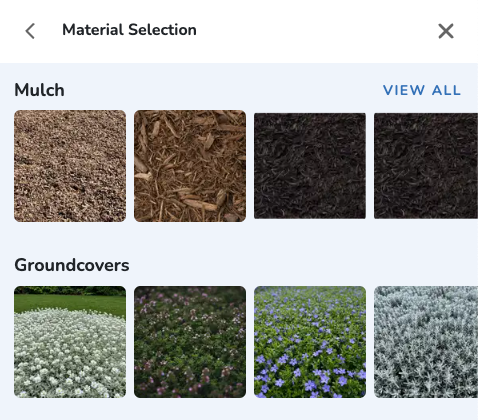
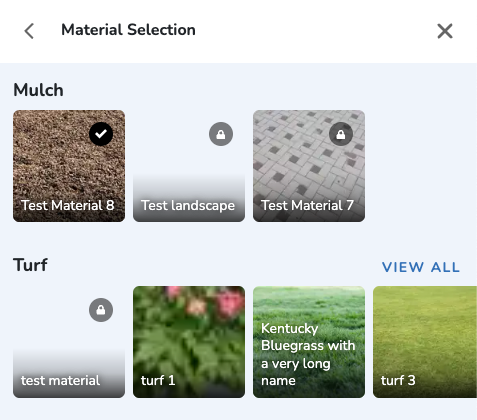
- Display the material name for each option in the material picker.
- Issue: Fixed the "VIEW ALL" link. Clicking it shows an expanded view of all material options. Before this release, clicking VIEW ALL did nothing.


Improved Plant Search
Visual Designer
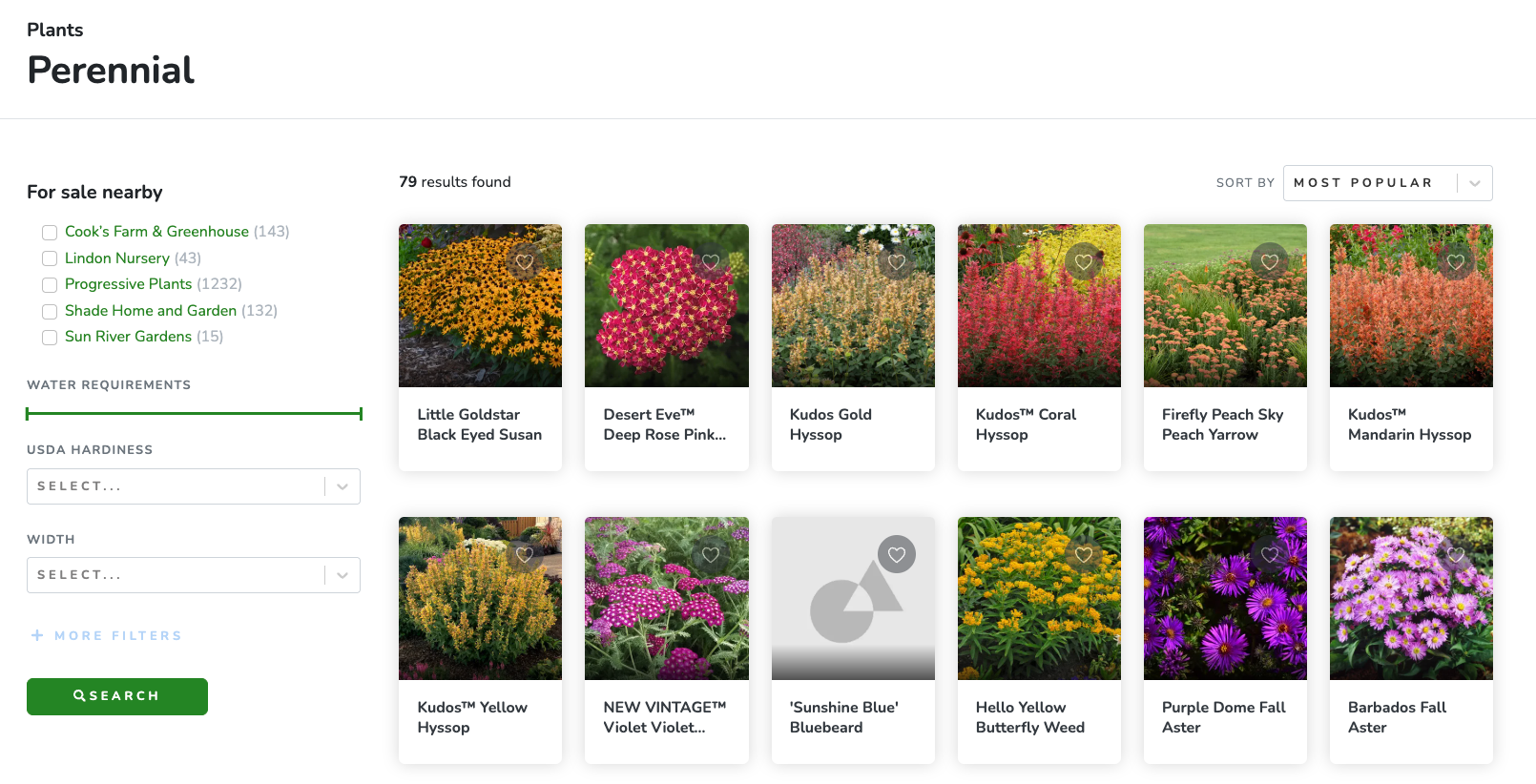
Return all matching plants, even when searching within plant type (e.g. Conifer) or plant collection. Before, the Visual Designer™ would filter the plants based on the current type or collection. This was too constraining.
Marketing Website 2.0
Return all matching plants, even when searching within plant type (e.g. Conifer) or plant collection. Before, the Visual Designer™ would filter the plants based on the current type or collection. This was too constraining.
Grant full Aerial Designer™ (Beta) access to all users
Aerial Designer
All plans now have full, unrestricted access to the Aerial Designer while it is in beta. We no longer limit the number of design elements or restrict access to the plant library while the Aerial Designer is in Beta. We will restore the paywall after the Aerial Designer exits Beta. Note that features are currently incomplete and unstable.
Free 7-Day Trial for SimplyScapes Professional Plan
Dashboard
asdf
Bug Fixes
Bug Fixes
- [Resolved] Search Filter > Min/Max Height are connected. Changing the Min Height search filter automatically changed the Max Height Filter. Solution: The two filters work independently.
- [Resolved] Always display "Forgot Password" link in login screen.
June 2, 2025
March 24, 2025
April 24, 2024
Focus on creating a "Frictionless experience".
Auto-pan canvas when dragging an object to the edge
Visual Designer
asfd
Added Tooltips for new Users
Visual Designer
Move up/down.
Suggest plant size
Make Background Image Optional
asfd
Drawing tool improvements
...
The Workflow for drawing new materials is clunky. For example, users must choose a material before drawing the outline. Compare this to other drawing tools. Those tools allow you to draw shapes without having to select a line or background color. Why should Simplyscapes be different? It shouldn't.
Update the material tool to behave like other vector-based drawing tools:
Enable drawing any time the material tab is selected
When drawing, set a default background to the last chosen material. If this is a new design and no material has been chosen, set a default.
Change the background for any shape at any time by selecting the shape, then clicking a new material in the materials tab.
For narrow viewports (mobile devices) reduce the height of the materials panel. Allow users to increase/decrease the size.
Added Rectangle and Ellipse drawing tools.
Cursor-based drawing for touch devices
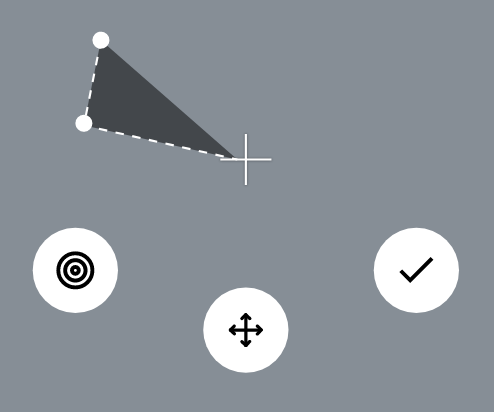
When in drawing mode display a cursor and a "move" handle below it moving the cursor. In addition, display other buttons to perform certain actions, such as adding a point or saving changes.
Doing this for PCs enables the mouse cursor to be used for selecting existing design elements, but would it be too cumbersome to use?
Note: Tapping canvas while in draw mode no longer adds a point. This is exclusively performed via the cursor and it's buttons. Tapping the screen deselects the the current item and optionally selects an item. If the newly selected item is a material, the material automatically switches to edit mode (e.g. Points are visible, and the background image is replaces with a semi-transparent shade).

Help link
Visual Designer
Add the following items to the existing menu dropdown in the photo designer:
Add Help section to toolbar:
User Guide
Open the following page in a new tab: https://help.simplyscapes.com/
Suggest a Feature
Opens the following page in a new tab: https://portal.productboard.com/xpudjucrd8ukejdlgkyp78ub/
Contact Support
Open the following page in a new tab: TBD (external page containing contact instructions)
Added GDPR Support
Dashboard
asfd
May 15, 2024
Janurary 29, 2024
Janurary 10, 2024
November 23, 2023
April 16, 2023
July 1, 2022
Release summary.
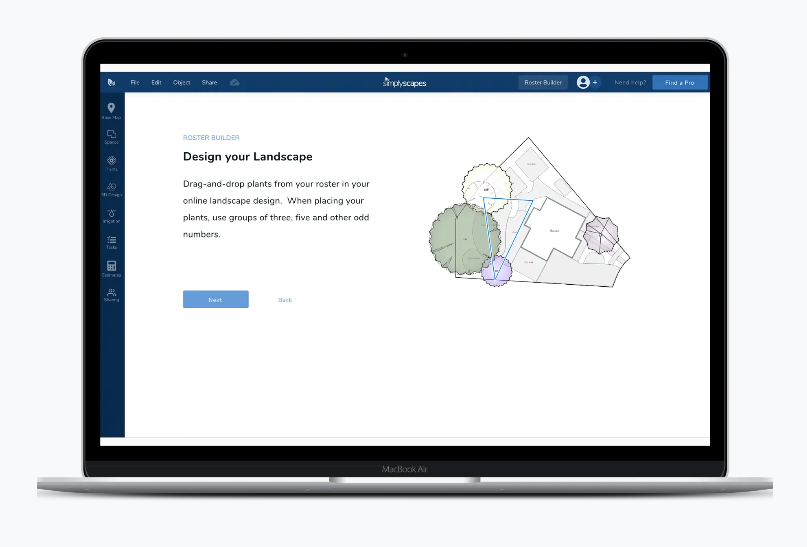
Aerial Designer™ Released
Lorem ipsum dolor sit amet, consectetur adipiscing elit, sed do eiusmod tempor incididunt ut labore et dolore magna aliqua. Ut enim ad minim veniam, quis nostrud exercitation ullamco laboris nisi ut aliquip ex ea commodo consequat. Duis aute irure dolor in reprehenderit in voluptate velit esse cillum dolore eu fugiat nulla pariatur. Excepteur sint occaecat cupidatat non proident, sunt in culpa qui officia deserunt mollit anim id est laborum.

March 22, 2022
Release summary.
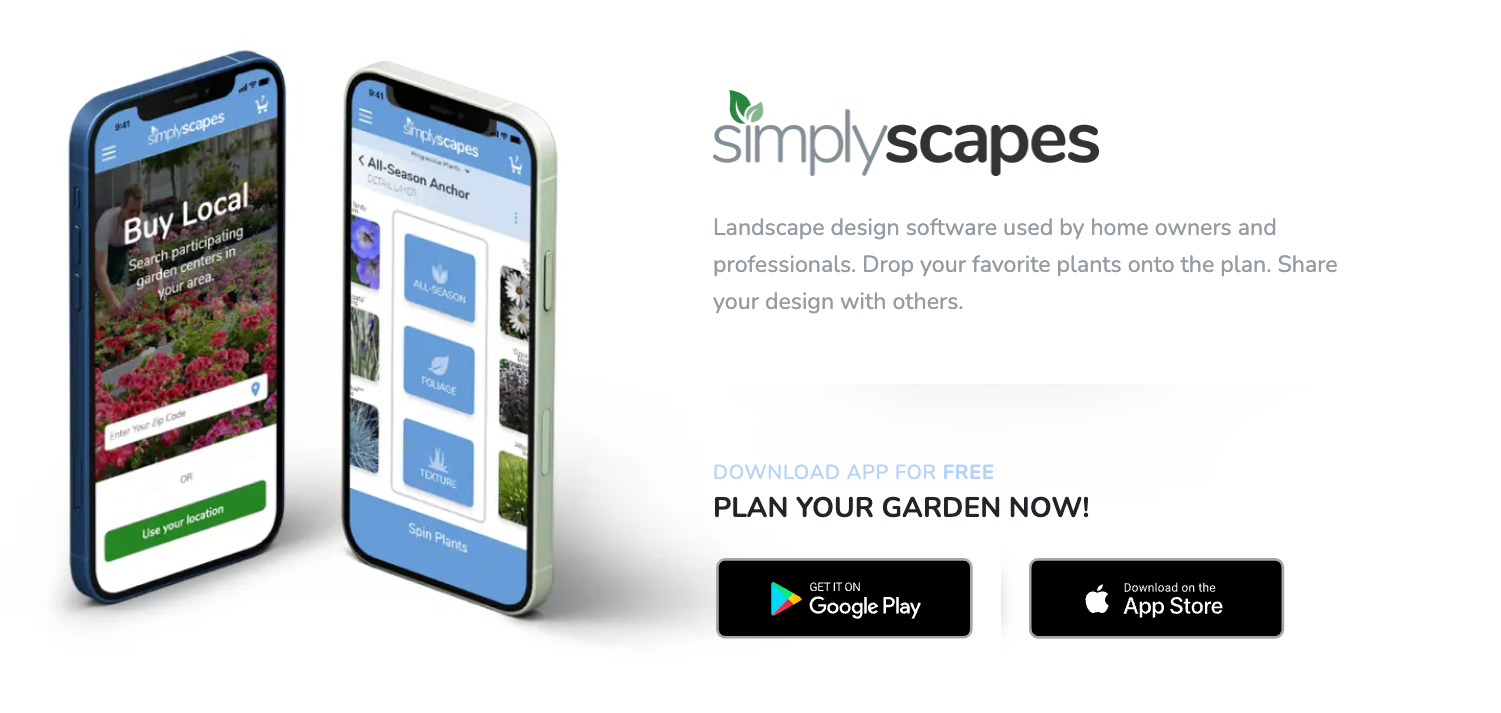
SimplyScapes Select™ Mobile App
Lorem ipsum dolor sit amet, consectetur adipiscing elit, sed do eiusmod tempor incididunt ut labore et dolore magna aliqua. Ut enim ad minim veniam, quis nostrud exercitation ullamco laboris nisi ut aliquip ex ea commodo consequat. Duis aute irure dolor in reprehenderit in voluptate velit esse cillum dolore eu fugiat nulla pariatur. Excepteur sint occaecat cupidatat non proident, sunt in culpa qui officia deserunt mollit anim id est laborum.

December 14, 2021
Release summary.
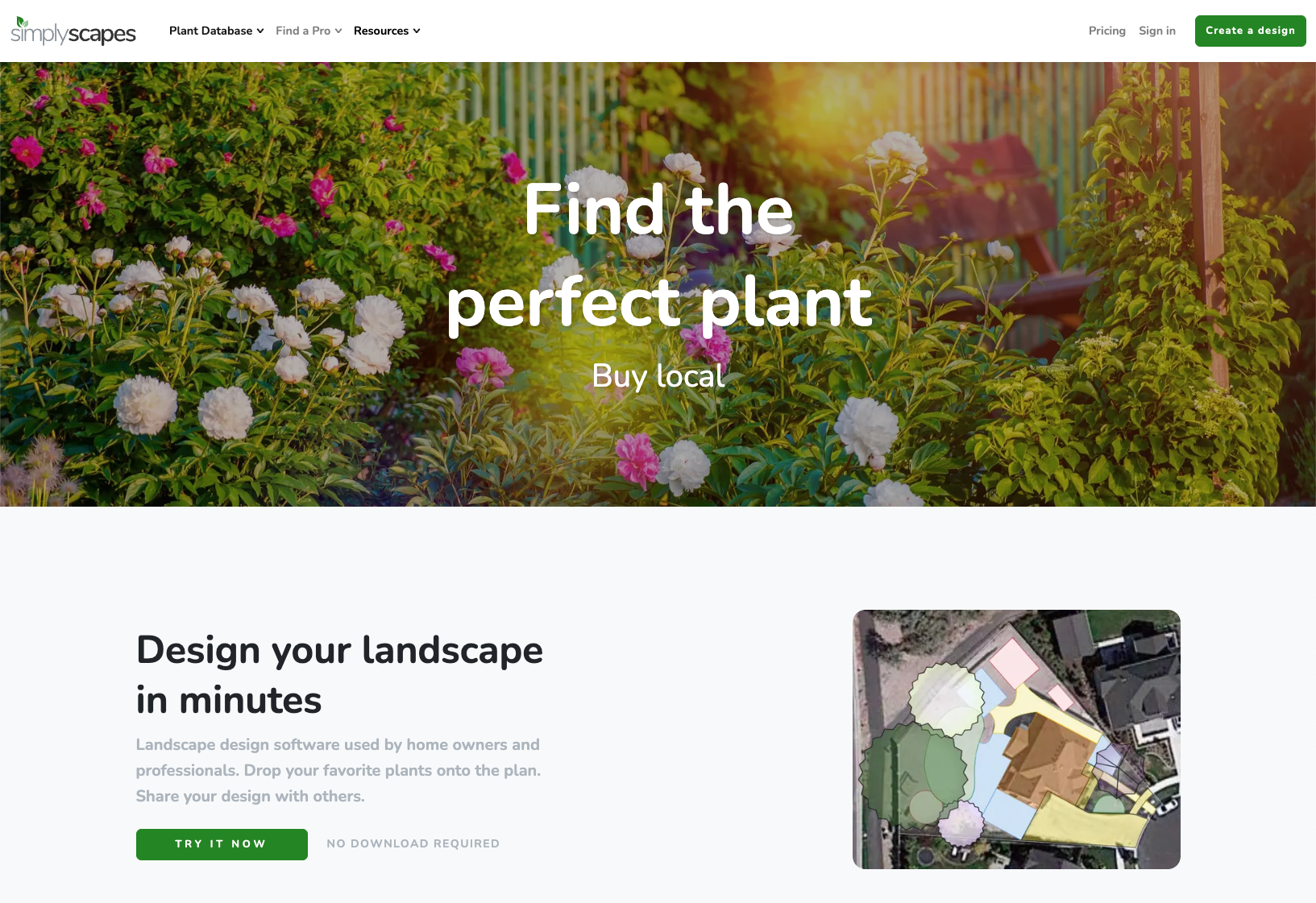
SimplyScapes.com website
Lorem ipsum dolor sit amet, consectetur adipiscing elit, sed do eiusmod tempor incididunt ut labore et dolore magna aliqua. Ut enim ad minim veniam, quis nostrud exercitation ullamco laboris nisi ut aliquip ex ea commodo consequat. Duis aute irure dolor in reprehenderit in voluptate velit esse cillum dolore eu fugiat nulla pariatur. Excepteur sint occaecat cupidatat non proident, sunt in culpa qui officia deserunt mollit anim id est laborum.

Online Plant Database
Lorem ipsum dolor sit amet, consectetur adipiscing elit, sed do eiusmod tempor incididunt ut labore et dolore magna aliqua. Ut enim ad minim veniam, quis nostrud exercitation ullamco laboris nisi ut aliquip ex ea commodo consequat. Duis aute irure dolor in reprehenderit in voluptate velit esse cillum dolore eu fugiat nulla pariatur. Excepteur sint occaecat cupidatat non proident, sunt in culpa qui officia deserunt mollit anim id est laborum.